

White Label CMS 1.4
If you are a WordPress developer who regularly hands over websites to clients, we are sure this is one of the first sentence you say: “This is your new CMS, just ignore everything on the dashboard and go straight to …”
New In White Label CMS 1.4
Version 1.4 includes lots of new changes designed specifically for WordPress 3.3. They are as follows:
- The ability to add your logo to the dashboard
- Add more than one welcome dashboard
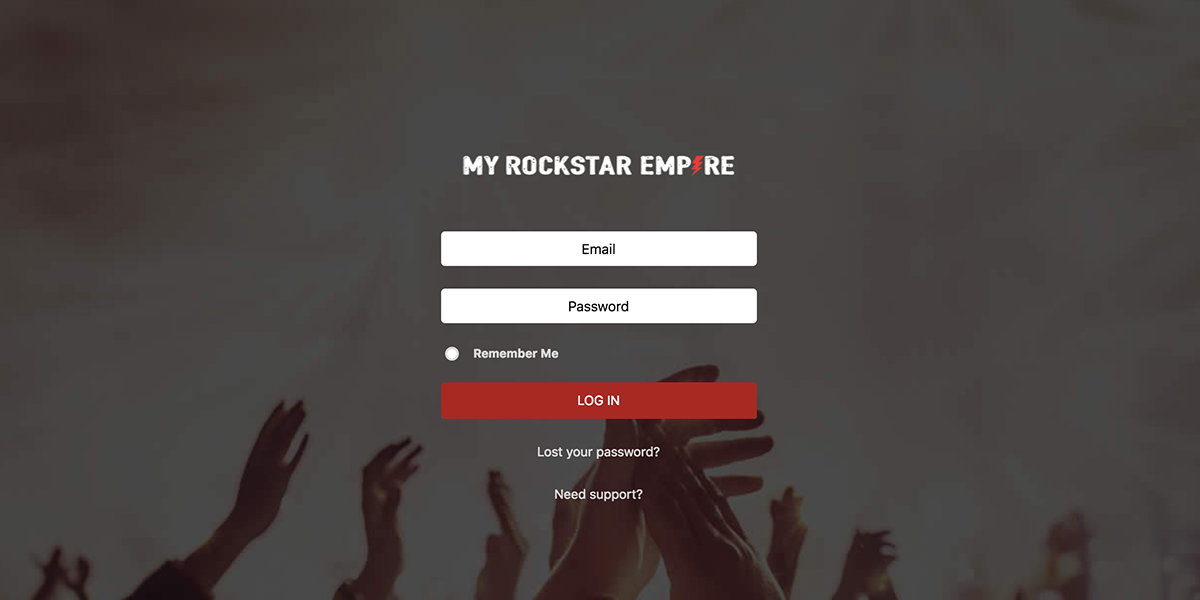
- Add custom CSS to the login page
- It now supports child themes (or most requested feature)
- And much much more
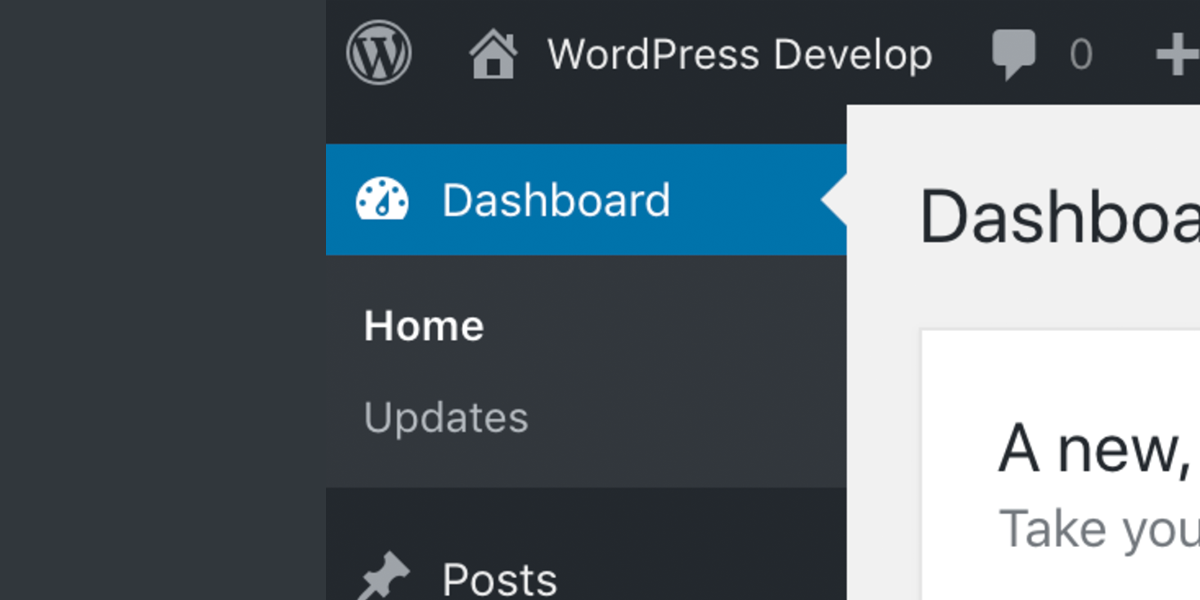
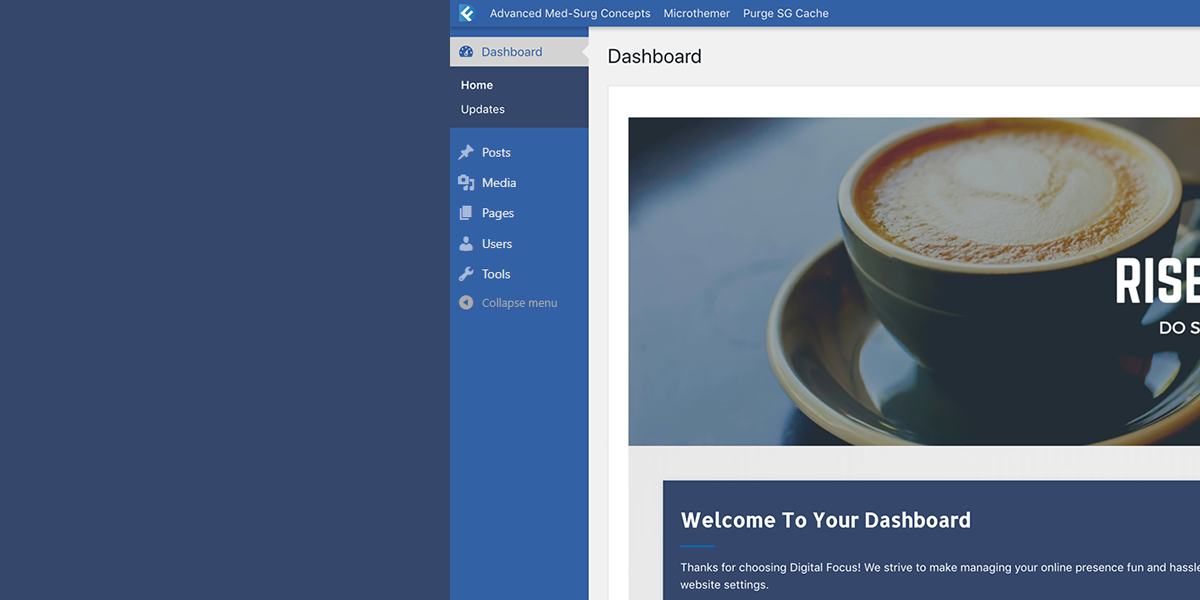
New – The Dashboard Logo
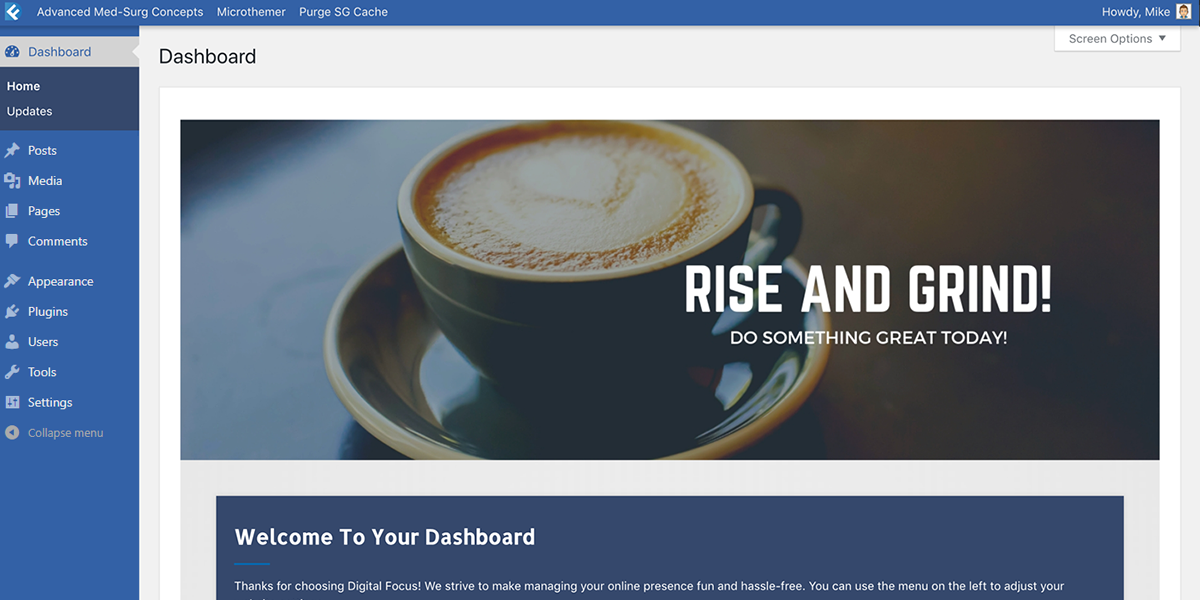
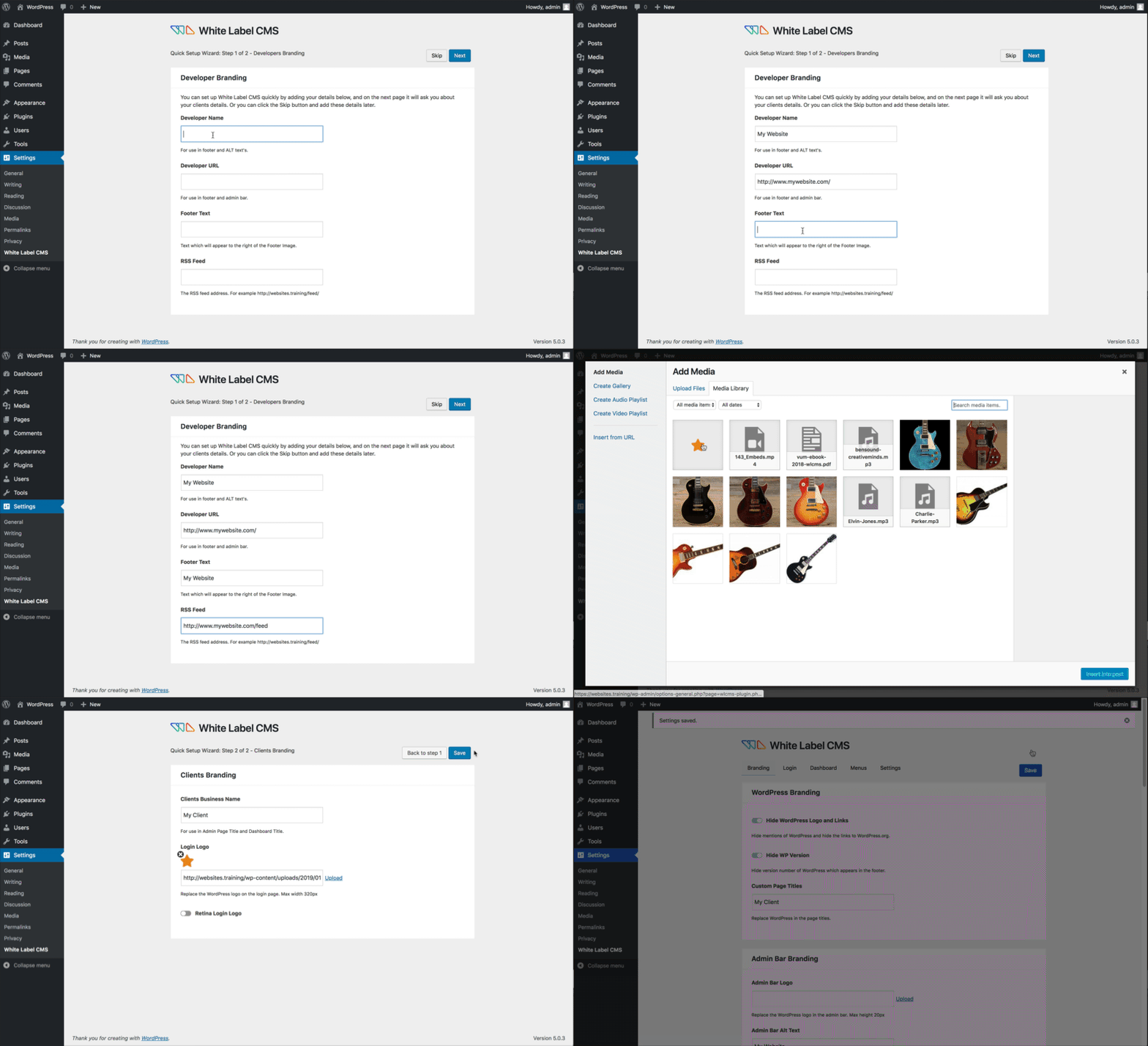
The first thing you will notice in version 3.3 of WordPress is the new admin bar/ This really reduces the branding opportunities for web developers who want to hand over sites to their clients which are branded for their clients. We thought about this a lot, and decided the best option was allow users to change the dashboard logo and text, so they can brand it with their clients logos.

You can also change the 16 pixel logo in the admin bar for your own version, but lets face it, how many of your clients have a logo that looks good at 16 pixels?
The branding on your dashboard might not seem like much, but we think it will make a big difference to how your clients view their CMS. If you disagree, then you don’t have to use it. This options is turned off by default.
There Is More
We developed this plugin to have these vital features which every professional WordPress developer needs:
- Choose what menus appear using 3 CMS profiles: Website, Blog or Custom
- The ability to remove navigation menus for user roles of editors and below (perfect for clients!)
- The ability to make widgets and menus available to editors
- The ability to remove all panels from the dashboard
- The ability to add your own ‘welcome’ panel to the dashboard
- The ability to customize the head and footer logos
- The ability to customize the login logo (and we have removed the WordPress alt text)
- The ability to hide the nag update
- This has been tested on WordPress multi sites
No longer will you have to tell your clients to ignore the dashboard!
Overview of the White Label CMS Plugin
A Better WordPress For Clients - The Series

Essential reading for any developer who's CMS of choice is WordPress.
Current Release
The current release is version 1.3 This version works in WordPress 2.8 and above.
Please note that if you grant the editor privliages in order to view the widgets and menu page, it is possible in theory that if the editor types in the correct url to switch themes, they will be able to do so. We have removed all links to switch themes for the editor, however we want you to be aware that this is possible, however remotely.
Also please note we did not include the login redirect we originally planned to implement. Instead you can use a plugin which does this and is available in the WordPress Plugins Directory.
You can download it from the White Label CMS WordPress Plugin Page
Credits
This plugin was inspired through both our own experiences/needs and these great articles: Cats who code, Smashing Magazine, Net Tutsplus, Craig Buckler and by our own hard working developers here at Video User Manuals.
What Would You Like To See In The Next Version?
We would love to hear how you are using the plugin, so please leave your comments below!


Awesome plugin chaps!
Only just discovered it and am well chuffed. Really cuts down on dev time trying to tweak the backend.
Not sure if this is the right place for feature requests, but would love to be able to create unlimited custom welcome widgets. I usually have 6+ user roles that can access the admin area and it would be cool if I could create a personal widget for each one.
I’ve now used this great little plugin on quite a few client sites – thanks so much!
I do have a concern though.
For each client I need to set up different additional plugins, for example:
- Store (Marketpress Lite)
- Staff management modules
- etc.
Once I set up these modules, then get ready to hand-over to client, I discover to my horror that the Editor level will not be able to access the functionality I’ve added, as they can’t SEE the plugin in the sidebar.
In the case of Marketpress Lite, the Editor can access the Products etc, but cannot ‘see’ the Settings for the Store (which gets turned Off by the CMS plugin).
I find this very frustrating, and would like the CMS module to show:
- a list of installed plugins
- a checkbox beside each one
- the ability to select what the Client/Editor should have visible in the Sidebar.
For me this is the single most important feature which is missing.
The is the main thing which causes me grief – the inability to give the Client/Editor access to something I’ve spent so much time setting up.
I’ve only found one workaround once – an image gallery which had a checkbox to select ‘Editor’ access. I have yet to find any other plugin which has this, which means in many cases I have to give the client top-level Admin access, just to use one or two plugins (which are essential for their site).
A solution for this would be outstanding!
Thanks in advance
Keep up the fantastic work! It’s great to see you staying current on updates and implementing requested features! Thank you.
This plugin is absolutely awesome! Many many thanks!! (=^_^=)
Since upgrading to 1.4, I’ve lost the ability to insert images into a post. I’m thinking it must be a javascript overlap from the new upload media feature in the options.
This has been fixed in 1.4.1 which we just put out. Just refresh your browser after updating to force refresh the javascript which was causing the problem.
Thanks
Would love to see it with more control over the sub panels and includes settings of installed plugins.
Like maybe I would like to let the user see the installed plugins but not let them click addnew plugins.
Anyway, the way it is now is superb. Nice work!
Excellent plugin.
I would like to utilise it in a multisite that I am creating for my 6 secondary history classes. There will be more than 180 web sites in all.
May I make a suggestion. Could it possible to have the option to utilise an absolute URL for the logo entry fields instead of simply relying on the use of the URL that points to the theme directory in the main site blog.
I am not a php developer and I am not able to tweak the code myself although I tried.
I thought that if an absolute URL that pointed to the various logos was utilised itwould enable an easier multisite install and not require me to individually set the parameters for all 180 or more sites.
Regards
John
Fantastic plugin – many thanks !
However I have cause for concern which I hope you can allay.
Currently running WLCMS 3.2.1 – after deactivating all plug-ins, with WP-Config debug displaying error messages I get many errors (E_Notices) appearing such as the following whilst logged into admin:
Undefined index: id in /home/…/wordpress/wp-content/plugins/white-label-cms/wlcms-plugin.php on line 600
Undefined index: page in /home/…/wordpress/wp-content/plugins/white-label-cms/wlcms-plugin.php on line 606
Undefined index: action in /home/…/wordpress/wp-content/plugins/white-label-cms/wlcms-plugin.php on line 632′
Are you able to toggle between client access and regular access?
I was just thinking about when I have to go into the dashboard myself…
Does that make sense?
Thanks,
Justin
Hi,
Sorry, if I understand you correctly, then no, you can’t do that. The reason being that WLCMS is basically designed so that you give your clients Editor access, and you would use Admin access.
Thanks
Many thanks for a great plugin, however…
On the top of my wishlist for next version would be to be able to add a menu item (a custom dashboard widget) to the list of menu items to be excluded from removal by WLCMS.
I am attempting to use an events listing facility on my client’s website which they need to use themselves. Unfortunately WLCMS hides this.
Awesome Plugin! Keep up the fantastic work… Thank you!
Quick Fix: Under Customization, make Login Background Color optional. I have to delete it each time I click save to allow a transparent PNG logo on the login screen. The login screen just looks better without the white box all the way around it… It unfortunately defaults to #FFFFFF every time the screen is pulled up.
Good Point. Thanks
Ability to grant access to specific plugins?
I’m thinking of a specific scenario where we’re using the “Subscribe2Connect” plugin and the client keeps asking for a list of their subscribers. Would be much easier if I could just grant access to that specific plugin to the client.
Hi, I **LOVE** White Label CMS, & have installed it for several clients already! woohoo!
I’ve just discovered though that the Business Directory plugin, and the EZPZ One Click Backup plugin cannot be seen by the Editor (who needs access to them both)
They both should appear below the Settings menu.
Weirdly enough, Contact Form 7 plugin DOES appear below the Settings Menu for the Editor role …
I’ve been searching online for a couple of hours, including reading all of the above, to find out how to solve this. Has anyone else added a Business Directory or a Backup solution with White Label CMS on a client site, which the Editor/client can actually access?
Any tips would be greatly appreciated – thanks in advance!
Hi Mooshie,
My only advise would be to modify the other plugins to make them so they are visible to editors (though this will break each time you update them). Doing this is fairly simple.
If you take a look here, it shows you that you need to modify the capability:
http://codex.wordpress.org/Function_Reference/add_menu_page
However, if you don’t understand this, then I probably would not recommend doing it.
Thanks
This plugin is such a help. What I would really love to see on both this and your manual plugin is support for other roles especially custom made roles.
Thanks again.
Hey there – Two things:
1. I thought I saw in the overview video that the login url is changed to /login with this plugin – is this true and if so how do I activate it?
2. I noticed if I disable widgets that it also hides this from admins… are others having this issue?
Thanks
P.S. Love this plugin.
Hi,
Are there any plans to include the ability to hide links in the new admin toolbar that was release with version 3.1?
If I hide the posts menu in the dashboard it would be nice if it has got rid of the ‘Add New’ -> ‘Post’ link from the admin bar.
Thanks
Pete
Hi Peter,
We did not think of that. We are doing beta testing on the new version now, but only included the ability to remove the menu bar, not to modify it.
We will investigate.
Thanks
Hi,
Would be good to see it added. Something else that would be good would be to hide the number of posts in the ‘Right Now’ box as well.
If I have removed the posts menu from the right hand side then it makes sense to get rid of it from everywhere else.
(of course if its possible?)
Thanks Again
Pete
Thanks so much for this amazing plugin.
One issue I noticed is that when I check the boxes to show the Widgets and Menus options, it REMOVES the Themes option from my Administrator view. I agree this option should be disabled for the client (Editor), but it should remain visible to the Administrator. I know I can still access the Edit Themes page by entering the direct URL but it would be far more convenient to have the option button remain in the menu.
Another suggestion is to move the custom logos outside of the Theme folder – this way the logos would remain even if the theme is changed. I think this has already been mentioned, but just wanted to add my two cents.
Thanks for a great plugin – you’ve saved me loads of time! Cheers.
I found a bug – themes and widgets menu disappear to administrators. See more in this post below:
http://www.pengzhang.ca/blog/2011/01/28/themes-and-widgets-menus-disappear-from-apparence/
Hey, I haven’t read any of the comments above so maybe this has already been mentioned, but I have a upgrade for your awesome plugin to make it at least partially internationalized. The problem is that the feature to hide left panel links within the WP admin area breaks for other languages. The reason is because you have the names of the links hardcoded in English. I fixed this with a simple code change, as follows. If you could incororpate this into future updates, I could continue to easily update your plugin. Thanks:
**White Label CMS Hack
Description: Added __(”,’default’) to hardcorded admin menu items to enable multi-lingual support
File: \wp-content\plugins\white-label-cms\wlcms-plugin.php
Function: remove_admin_menus
Line: 212
//i18n Localization Support:
if (get_option(‘wlcms_o_hide_posts’)) { array_push($restrict_user,__(‘Posts’,'default’)); }
if (get_option(‘wlcms_o_hide_media’)) { array_push($restrict_user,__(‘Media’,'default’)); }
if (get_option(‘wlcms_o_hide_links’)) { array_push($restrict_user,__(‘Links’,'default’)); }
if (get_option(‘wlcms_o_hide_pages’)) { array_push($restrict_user,__(‘Pages’,'default’)); }
if (get_option(‘wlcms_o_hide_comments’)) { array_push($restrict_user,__(‘Comments’,'default’)); }
if (get_option(‘wlcms_o_hide_tools’)) { array_push($restrict_user,__(‘Tools’,'default’)); }
if (get_option(‘wlcms_o_hide_users’)) { array_push($restrict_user,__(‘Profile’,'default’)); }
if (get_option(‘wlcms_o_hide_separator2′)) { $hideSeparator2 = true; } else { $hideSeparator2 = false; };
There is an option to change the background of the login box, but where can I change the background behind the login box? Thanks!
Hi Chad,
There is no option to do that. We were trying not to overload people with options, and this is why it was left out.
Thanks
Remove Howdy. You could include alternatives, but for simplicity just provide the option to disable it.
Great plugin. I have used it with the Genesis framework and child themes by StudioPress. One issue is the logos are require to be saved in the Genesis framework images folder, rather than the child theme’s images directory. When the Genesis theme framework is updated it overwrites / removes the logo images. Is it possible to choose the image directory to overcome this issue? Many thanks.
Hi Nik,
We are aware of this issue and it will be fixed for the next version.
Thanks
I’m using White Label CMS on WP Multisite and have my client sites hosted there. It seems that when I launch a site and domain map the clients domain to my multisite install, the custom login logo no longer shows.
Its because the link is referencing the domain mapped url now. Problem is that the images are in folders on my multisite install.
Any ideas how to fix. thanks for a great plugin
The installation instruction call for logos are as follows:
“Header Logo: custom-logo.gif
Footer Logo: custom-logo.gif
Custom Login Logo: custom-login-logo.gif”
Why is the Header and Footer Logo, the same file name?
I would like to put my customer’s log in the header and on login and my logo in the footer.
Are these instructions a mistake? If not, how do I accomplish what I need to do?
Hi Ben,
A lot of people like to set it up with their company branding in the header and the footer, this is why it is the same file. However you can change it to be what ever you want, and have 2 different files if you like.
Thanks
Wow amazing plugin and we have added the video manuals.
One request, how do I setup all my clients CMS to use my logo in the footer but hosted on our website.
If we change/update logo we’d like it to change all sites.
We’ve tested using full URL to .png file and works in the browser but not in the settings.
Are we required to put logo in /images directory of theme?
Hi,
Glad you like the video manuals. I am sure you agree that it allows you as a web developer to have a very professional handover to your clients.
Yes, the png file must go into the images folder of your active theme.
We have had lots of feedback about this, and will be making this more flexible in future. Any more feedback would be greatly appreciated.
If I hide other dashboard panels, it makes the change for the Super Admin also. Also, I would like to hide some of the panels on site dashboards, but not all of the panels which I do not believe your plug-in does at the moment.
I would like to suggest that the Super Admin have the ability to choose to show or hide each of the panels individually on the dashboards of sites. Also, it’s not necessary but would be nice to be able to do the same for the Super Admin’ dashboard.
Hi,
Yes, we have had a few people requests for this. We will definitely consider this for the next version.
Any other suggestions would be greatly appreciated.
Thanks
There is a problem when trying to hide menus when WordPress is installed in French (and maybe other language). It’s not working.
Correct line 225 like this:
$f = create_function(‘&$v,$i’, ‘$v = __($v);’);
Hi,
Absolutely love the plugin, but I’m having issues with the custom images options (ie; logos). I place them in the images folder of the active theme as instructed in a .gif format. But I’m not able to see them even after I refresh or clear my cache.
Hello!
First I’d just like to say that your plug-in is great
It works pretty fine but I had to do a little tweaking so it would work perfectly on my website. This was what I did:
- I used the translate function (__();) on the remove_admin_menus() function in order for it to actually remove the menu items in any language.
- I created functions and admin options to hide New Page buttons and menu item and still show the already created pages (if Hide Pages is off).
- also created a function to hide Media Buttons from post creation page if Hide Media option is on.
- lastly I created function and admin option to hide Screen Options and Help from the top right corner.
I think that those options might come in handy for a lot of people! Mail me if you would like me to send you the source code.
Great plugin, with one obvious oversight.
Assuming the idea of white labeling is to remove WordPress branding, then the retention of WordPress urls in the address bar is a dead give away. Is there a way to customize the urls so that the wordpress references are replaced with a white label option?
Hi,
Thanks for the support. The wordpress urls are not a oversight. It is just something we don’t consider to be a priority. If you ever find something that does this, we would be interested to hear about it, but it is not part of our roadmap. Any other suggestions would be gratefully received.
Hi,
Many thanks for the great plugin!
One question… I used a 3rd party theme for my client and if I use this plugin the extra menu, for the setting of this theme, is not displayed.
Can I change this? The client is allowed to access this menu item.
Thanks!
Hi,
Thanks for the kind words. The plugin should no effect any menus other that the core WordPress menus. Are you sure the problem is with the plugin, have you tried uninstalling the plugin to see if the menu appears. The only thing I can think of is if that menu appears as part of the Appearance menu. If that is the case, then if you are trying to give your client editors access, then there is not much you can do about that.
Hope this helps.
Thanks for this incredibly useful plugin!
I don’t know if I’ve missed something though… I’m not sure how to allow a user with ‘editor’ privileges access to other plugins. eg. I use Nextgen gallery on several websites and would like the user to be able to manage the gallery themselves.
The ability to toggle specific plugins on and off would make white-label-cms perfect for my needs!
Is there any way to achieve this?
Hi Ben,
Thanks for the support.
Obviously it would be impossible for us to allow editors access to other plugins, but I believe it is possible in the Nextgen settings to allow editors access to Nextgen.
Thanks
Trying out this plugin and happy with it. One thing that really bugged me was that a Newsletter plugin I had installed for a client wouldn’t show up when logged in as Editor and I had assumed it was this plugin.
Reading the response to this similar problem here made me realise that the Newsletter plugin could be the issue so I checked and yes, it was set to show for Admin level only. I changed it to Editor and now that menu appears for my client.
Thanks!
Jen
Hi there,
I have to replace “template_directory” to “stylesheet_directory” so that images are fetched from the child themes instead. Hopefully you can include this fix in the next release.
Cheers
Ken
Hi Ken,
Yes we will definitely do that. Thanks for the heads up.
Cheers
Looking forward to an update here, so White Label works with child themes. Thanks for the quick fix. What a great tool! I’m surprised this small update hasn’t happened yet. Is there a more updated version of a plugin like this one I should be considering?
Hi Brett,
Thanks for the feedback. The new version, started to snowball with new features and got a little bit out of control, so we are scaling back and trying to keep it simple (the reason why WLCMS is popular to begin with). I will let you know, how it is progressing.
Thanks
Hi there,
This is a fantastic little plugin. Nicely done.
One thing I was wondering was how can this be integrated as a solution for those offering simple websites for their clients. What I mean is, lets say that I have a main website. From this main website I want to allow users to sign up and get wordpress so that they can create there own mini websites. I don’t want to go through the hassle of having to manually do this. Is there a plugin for this. will this plugin do this for me?
Thank-you for the great plugin
Hi,
Thanks for the kind words. Forgive me if I have misunderstood what you meant, but isn’t the functionality that you are asking for exactly what WordPress Multisite does?
Thanks
Really like this plugin. There is however one thing that annoys me: if you deactivate the plugin, and then activate it again, it forgets all your settings. I think it should remember everything, because (at least I do so) often you enabel/disable plugins when you’re developing.
Hi Pär,
Thanks for the idea, but I don’t think we will be implementing this because we think it is better to leave a clean database if the plugin is un-installed rather on the off chance you are turning the plugin on or off. Do you not find it annoying when you see your database is bloated with plugin meta information that you don’t use anymore.
Again, though if more people ask for this, we will consider it.
Thanks
I’m glad it clears out the database. I dislike it when there is all sorts of leftover junk, especially when I’m just trying something out to compare my options.
It would be awesome to be able to have the plugin designed in such a way that I could have it always customized to my business and just have to change the clients info. Even to the point where my logo is pre-packaged in the plugin. Great plugin! Keep up the great work guys!
Hi Daniel,
We totally agree with what you have said. The White Label CMS plugin is designed for small business owners who will use in a very similar way each time, and so it would be nice to have a config file similar to Video User Manuals which would allow a one click setup of your favourite preferences.
If more people ask for this, we will consider it for the next version.
Thanks
I know that for example adminimize has an import/export option. That would be handy. On every new install just import your settings and you’re done!
Excellent idea.
We will look into this.
Thanks
Hi,
Great work with the plugin, one thing I was wondering was if it was possible to remove the [You are using WordPress 3.0.1] message from the bottom of the [Right Now] panel on the dashboard?
Cheers
Pete
I’m using your latest version of the plugin on a fresh wp 3.0 install.
Is there a way that when creating separate login logos for each mini site, the image link doesnt direct back to the root of the multisite install?
thanks for a great plugin. and your usermanual too
Hi Paul,
Sorry, there is no way to do this built into the plugin. However, if you want to get your hands dirty, it is really easy to modify. In the code, just search for “loginalt()” and make the change there. It is quite simple.
We seem to be getting a lot of requests about mulitsite functionality. We might look to create a new menu option to group and handle these requests in the latest version.
Cheers
This plugin is utterly superb. Fantastic.
My one question is what you covered right at the end there – is it possible in a future release to be able to install it through a multisite network and NOT need to access each individual site (in my case 1200+!!) to make it work?
Hi Nik,
If someone tells us how to do this, then I see how it would make a lot of sense.
Thanks
This looks fantastic and has almost everything I currently get from 4 separate plugins…
The one thing I would like added is the ability to change the menu title and order as in this plugin:
http://w-shadow.com/blog/2008/12/20/admin-menu-editor-for-wordpress/
Oh – and I’d be willing to pay for this plugin – as its obviously only ever going to be used in commercial capacity!
also renaming of the wp-admin, wp-content and wp-includes to remove the wp- prefix would be nice to have. (.htaccess ?)
remove or customize the help, tab(top right)
Great plugin. Have just swapped over from another branding one.
A couple of requests;
- Hide or possibly change the favorite-actions dropdown at the top of the admin page.
- Hide “screen options”
- Hide / change text on Help button
- Ability to set a default logo. ie unless a site is updated with customers logo it will default to a given image. (Possible just check default theme directory?)
Cheers
Hi Mark,
Great suggestions. Definitely will do the 4th one on the next release. Will make so that if you delete the filename, the default image will appear.
Thanks
I would also love to have the logo for the custom login be the same for all of the websites created in WordPress multisite. I would also like the ability to select each field to be the same as the default selected in the super admin so the Developer Website URL, Developer Website Name and other fields would not have to be changed for each site unless I want to go into the particular site and change it.
Just wanted to say thanks. This now allows me to turn the website over to the committee heads and they can update their own pages.
It’s a great plugin, but you really should have the custom logos be something you can toggle. Your plug-ins should never “break” the wordpress admin.
Hi Nathan,
I take it by break, you mean having an missing image if you have not uploaded one yet. Having a toggle is something we will consider for the future, but you are only the second person to request that so far. We are wary of having too many options, but a good way of doing it would be that if you left to logo input field blank, it would default to the original WordPress logo. Would that solution be acceptable?
Thanks
Hi !
Great, and thanks !
Well, it would be great to have a “per site” rebrandind. So that subscribers on siteX.doman.com will see the logo of the site, not the network one
Hi,
If you are referring to WordPress 3 multi site, as you can see from the intro video, this should now be possible.
Thanks
when i log out of the admin section the login page has my logo but i hover over it and its still says wordpress and the link points to wordpress. any ideas on how to change this?
thanks
Hi Zach,
This functionality has now been added to version 1.2
Thanks
Is this plugin compatible with WP 3.0 and BuddyPress 1.2.5 ?
Many thanks,
Hi,
WordPress 3 yes! BuddyPress, we have not tried yet, but would love to hear your feedback.
Thanks
Hello!
I would love to make a suggestion. Will be really nice to have the possibility of which submenu items from “Appearance” can see the client.
For example, we need now that the customer can modify the menu, with editor role, but can’t touch widgets, custom background or color, custom header image or widgets.
Thank you!
Hi,
Great suggestion! Something we have been thinking about ourselves, so we have implemented it in version 1.2 . You can now make Widgets or Menus to available to editors. Custom background, headers, etc are controlled by the theme, so if you want to remove those, you have to modify your theme.
Thanks
According to a post found at http://wordpress.org/support/topic/413991?replies=2 the White Label plugin is not yet compatible with WordPress 3.0. Are you aware of this? I really love your plugin as it is one of the most user plugins out there. Thank you for creating it and sharing it with us!
Hi,
Version 1.2 definitely works on WordPress 3. Thanks for the kind words. We think we have made it even better and would love to hear your feedback.
Thanks
Hi
Great plugin and very good job.
I just hope, you can use WP 3.0 Multi sites Network features to apply settings to all the sites. That away the same brand is applied for all sites of the network.
It will be very nice if you can implement this feature
Thanks
Hi Gee,
If you check out the video above, I think this is what you requested. Be sure the activate the plugin network wide, and then for each site, go in hit the save button on the White Label CMS in order to customise it for each site.
Thanks
I like the plugin, but I would suggest that we have the option to toggle on/off for:
- Custom Header Logo
- Custom Footer Logo
- Developer Website URL & Name
- Custom Login Logo
- Login Background Color
Once those options are there, I’ll be using this everywhere!
Thanks for taking the time to put this plugin together. I’ll be trying it out on my next project – and report back with feedback. I think there’s a lot of scope to extend WP as a CMS as we get into WordPress 3. Until then, thanks for now! Regards, Jason
This is fantastic extension of WordPress as a CMS for all web designers. Thanks for the innovation and sharing. Highly recommended.
Hi
Thank you for this plugin, it helps me a lot.
One feature I’d like to request is the ability to inject custom CSS to the login page, because sometime the “Forgot your password” link color doesn’t work well with the custom background color.
Cheers
Hi Ken,
With the latest release this has now been added.
Thanks
Hello there! First off I just want to congratulate you and thank you for giving us this amazing plugin! I gave it a 5 star rating as it works like a charm! Secondly I would like to request the ability to add new custom dashboard panels and also to select the position you want them in.
So, at the moment is it possible to add additional custom panels? At the moment you are only allowed to have one but I require multiple ones and in different positions. The default WordPress has a two column layout so I need at least one more custom panel to appear in the right column. Thanks in advance!
Anyone else interested on this request? Please reply this at
http://wordpress.org/support/topic/388712
Something like this is missing a long time in wordpress!
It would be great if you would support disableing or renaming sites in the wp-admin sidbear
Hi fd,
Could you expand upon what you mean by “support disabling or renaming sites in the wp-admin sidebar”
Hi, just a head’s up, the link to your plugin home page on the wordpress listing is wrong! It’s missing the .com from the domain name and so results in the page appearing unavailable when clicking the link. Pls sort. Fantastic plugin by the way, Will be very useful for my clients, and make thing much easier to explain – well done!
Thanks for the feedback, the response has been great so far. The link has now been fixed.
We would love to hear any ideas on how we can improve the plugin in the future.
Also, you should consider disabling the Favorite Actions menu in the upper right of the admin. Or having the option to disable specific favorites. This menu still allow editors to create posts and check comments among other things even if the Posts and Comments menus have been disabled with WLCMS.
Great plug-in, the changes above get my vote too. Thanks.
Hi,
We have added the option to remove the favourites in the new version which we are currently beta testing. But you are correct it should remove those options from the favourites as well.
Thanks
Wondering if the new version of the plugin will be compatible with WordPress 3.1 version. Thanks.
Hey Mark,
All our plugins are updated as soon as possible after a new release of WP so yes the White Label CMS is compatible with 3.1
Enjoy!